Features / Invoicing
Invoices built from the work you already logged.
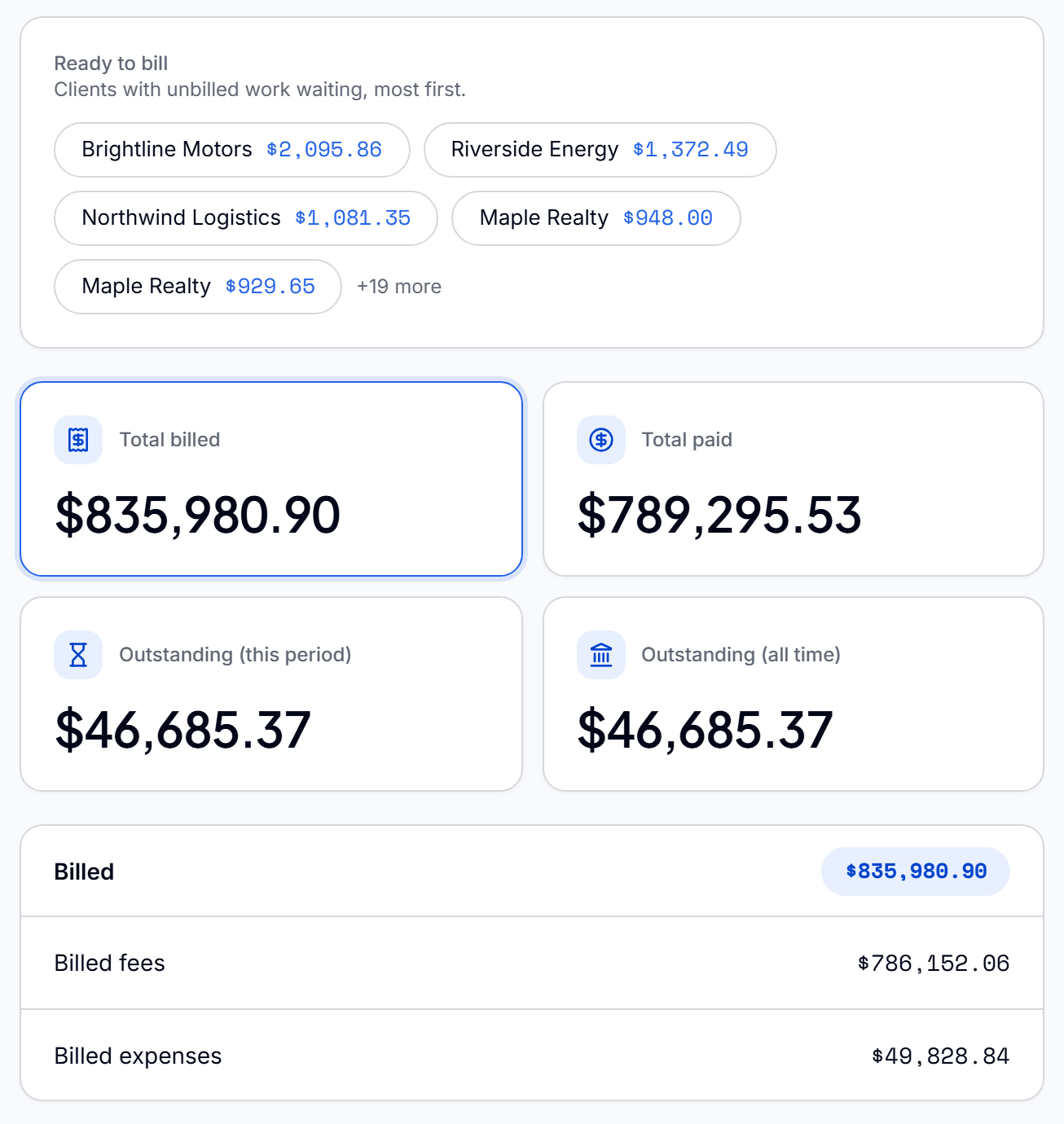
Pull a client's unbilled time, expenses and mileage into a numbered, branded invoice in seconds. Then let the invoice tell you what happened: when it was viewed, and when it was paid.
- No credit card
- Every feature included
- From $9.99/month after the trial
Everything you need to bill and collect
Built from unbilled work
Select the work to bill and the invoice is drafted for you, with sequential numbering, your prefix and a branded PDF.
Status that updates itself
An invoice moves from Finalized to Viewed the moment your client opens it, then to Paid. No manual updates.
Grouped by project
Client-direct lines sit on top, each project gets its own subtotal, and there is one total at the bottom.
Card payments
Clients pay from their portal through Stripe. You pay only Stripe's processing fee, with nothing added on top.
Automatic reminders
See what is overdue in an aging view, send reminders in bulk, or set rules that follow up as an invoice gets older.
Opening balances and late fees
Carry a balance from before Qatalyst into a client's account, and apply a late fee automatically.
From finished work to money in the account
- 01
Draft it
Pull the client's approved, unbilled work into an invoice.
- 02
Send it
Your client gets a secure link, sent from your own mailbox if you connect one.
- 03
Collect it
They pay by card and the invoice marks itself Paid.
Questions before you start
Can I create an invoice from tracked time?
Yes. Approved time, expenses and mileage for a client are listed as unbilled work, and you pull them into an invoice without retyping anything.
How do I know if a client has seen an invoice?
The invoice status changes to Viewed the moment the client opens it, and to Paid when the payment arrives.
Can clients pay invoices online?
Yes. Clients pay by card from their portal through Stripe. Qatalyst adds no fee on top of Stripe's processing fee.
Does Qatalyst chase overdue invoices?
Yes. You can send reminders in bulk from the aging view or set rules that send them automatically as an invoice gets older.
Client portalA client portal your clients will actually open.Client portalExpense trackingStop absorbing expenses you should be billing.Expense trackingMileage trackingEvery business trip logged, priced and billed.Mileage tracking
Do the work. Bill the work. Get paid.
Connect the work your team does to the money you collect, so nothing gets lost in between.
Start free for 90 daysNo credit card. Set up in minutes.