Features / Client portal
A client portal your clients will actually open.
Send one secure link. Your client opens it and sees their invoices, documents and project status, with no account to create and no password to forget. Every client gets a portal at no extra cost.
- No credit card
- Every feature included
- From $9.99/month after the trial
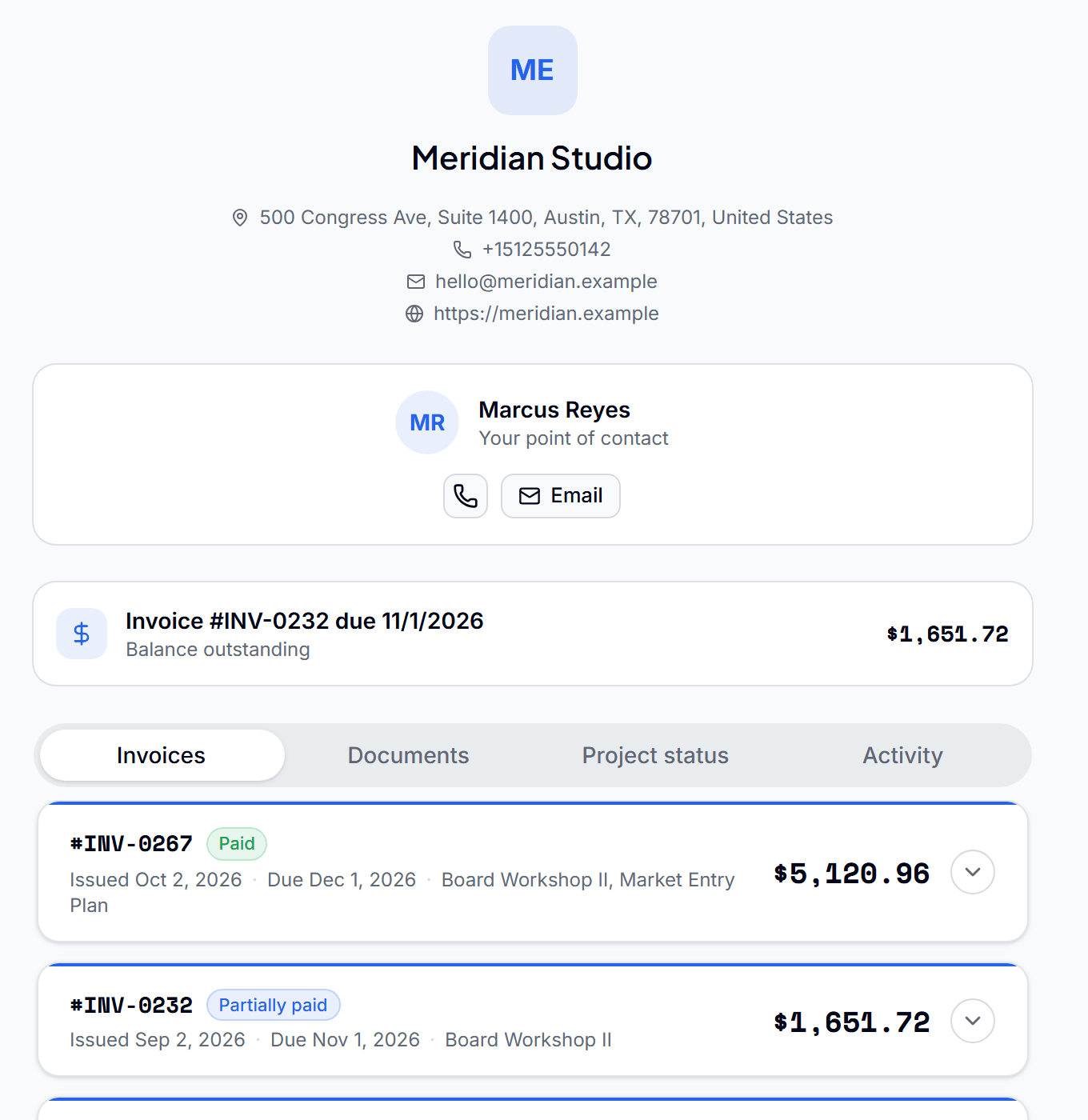
One clean surface between you and your clients
No password, no sign-up
Clients open their portal from a secure magic link. There is nothing for them to register or remember.
Invoices they can pay
Every invoice you send appears in the portal, where the client can view it and pay by card.
Documents and sign-off
Share a document for the client to Approve or Request Changes, with an optional signed-copy step.
Progress updates
Post a short update to a client's portal. It builds into a running log they can check at any time.
Project status
Clients see where their projects stand without sending you an email to ask.
Free for every client
Portals are included in every plan. You never pay per client.
From sent link to paid invoice
- 01
Share
Send the client their secure link from Qatalyst.
- 02
They open it
The portal opens straight away, showing only what you have shared with them.
- 03
They act
They pay an invoice, sign off on a document, or read your latest update.
Questions before you start
Do my clients need to create an account?
No. Each client opens their portal from a secure link, with no account and no password.
What can a client see in the portal?
Their invoices, the documents and files you have shared, your progress updates and the status of their projects. Nothing from any other client.
Can clients pay from the portal?
Yes. A client can open an invoice in the portal and pay it by card.
Does the client portal cost extra?
No. The portal is included in every plan and is free for every client.
Expense trackingStop absorbing expenses you should be billing.Expense trackingMileage trackingEvery business trip logged, priced and billed.Mileage trackingPayment remindersStop chasing invoices. Let the reminders do it.Payment reminders
Do the work. Bill the work. Get paid.
Connect the work your team does to the money you collect, so nothing gets lost in between.
Start free for 90 daysNo credit card. Set up in minutes.