Features / Expense tracking
Stop absorbing expenses you should be billing.
Record an expense the moment it happens, attach the receipt, and tag it to the client. When you invoice, it is already on the list, so nothing gets left in a wallet or an inbox.
- No credit card
- Every feature included
- From $9.99/month after the trial
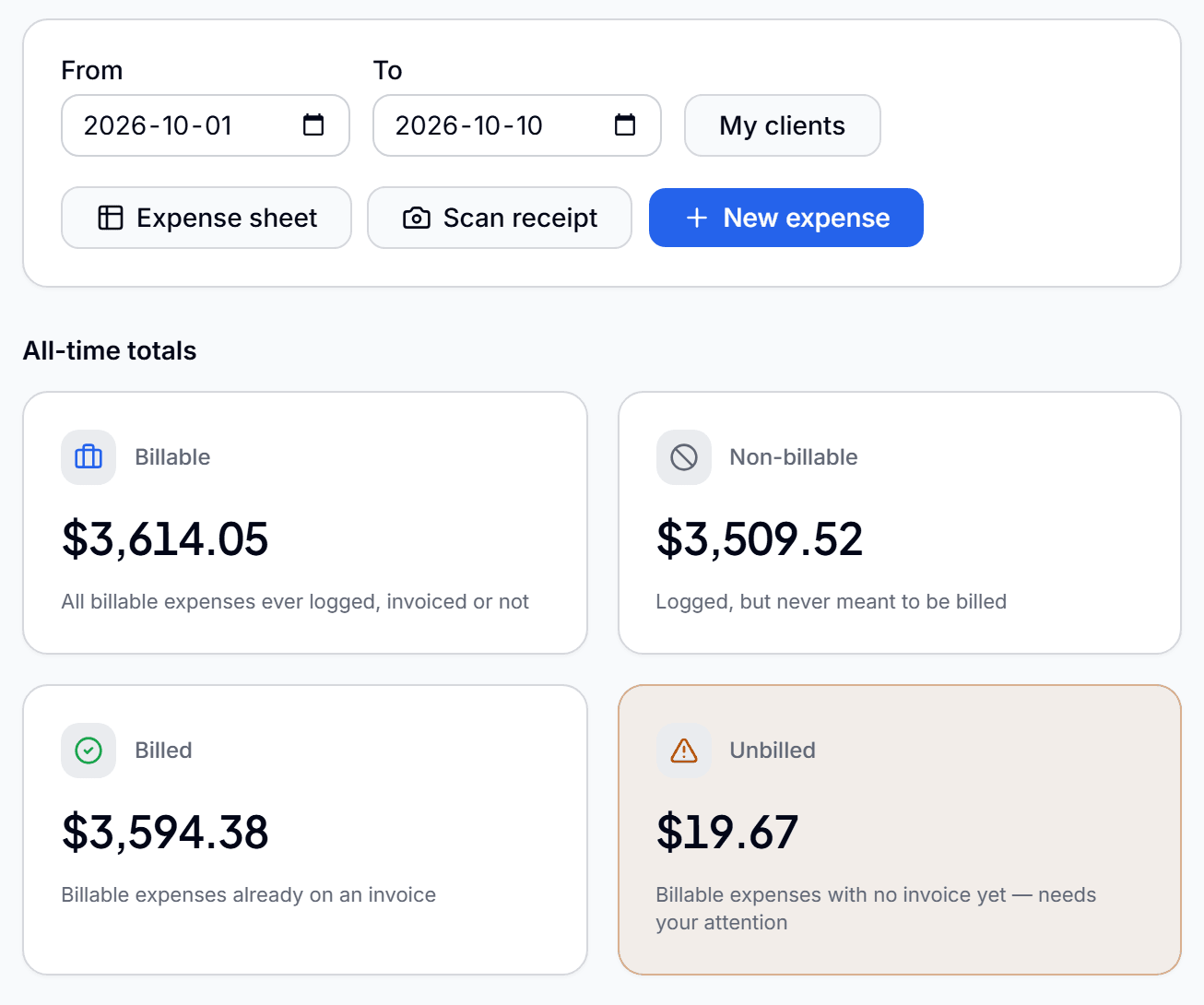
Everything you need to bill expenses back
Receipt attached
Add the receipt as a photo or PDF, so the proof travels with the expense.
Merchant, category, tax and tip
Record the details once, with tax and tip kept as separate amounts.
Billable or not
Mark each expense billable or non-billable, so only the right ones reach the client.
Tied to a client and project
Bill an expense to a client, a project and a specific contact from one picker.
Tax filled in for you
Set your organization's tax rates once and they fill in automatically on new expenses.
Approved before it bills
A manager signs off a team member's expenses before they can reach an invoice.
From receipt to reimbursed
- 01
Record it
Enter the expense and attach the receipt.
- 02
Tag it
Mark it billable and pick the client and project.
- 03
Bill it
Pull it into the client's next invoice with their time and mileage.
Questions before you start
Can I attach receipts to expenses?
Yes. Each expense can carry its receipt as a photo or a PDF.
Can I bill expenses back to a client?
Yes. Mark the expense billable and tag it to the client, and it appears in that client's unbilled work, ready to add to an invoice.
Can I track expenses I do not bill to anyone?
Yes. Non-billable expenses are recorded the same way and simply never reach an invoice.
Can my team record their own expenses?
Yes. Each team member records their own, and a manager approves them before they are billed.
Mileage trackingEvery business trip logged, priced and billed.Mileage trackingPayment remindersStop chasing invoices. Let the reminders do it.Payment remindersLead captureFrom first enquiry to paying client, in one place.Lead capture
Do the work. Bill the work. Get paid.
Connect the work your team does to the money you collect, so nothing gets lost in between.
Start free for 90 daysNo credit card. Set up in minutes.